

Personal safety, while important in any era, has taken on a whole new dimension in today’s increasingly digital world. For women, the right tools at their fingertips may spell all the difference, and that is precisely what safety apps offer: peace of mind and quick assistance in potentially dangerous situations. Whether you are commuting, travelling, or simply staying out late, these top seven safety apps not only empower you with confidence to move around your daily life but are also designed to facilitate an increase in security. From real-time location sharing to contacting emergency contacts in dangerous situations, find here the must-have safety apps that each woman should download onto her phone now.
While technology cannot fix the root causes of violence or harassment, it has evolved into a powerful ally in personal protection. Smartphones have made their way from simple devices of communication to sophisticated safety tools that enable broadcasting live locations, recording evidence, and alerting authorities within seconds.
The purpose of this article is to cut through the noise of both the App Store and Play Store, highlighting some of the best women’s safety apps available today. We aren’t just looking for apps that track you; we are looking for digital companions that empower you, provide peace of mind, and in critical moments, could even save a life.
Criteria for Selecting Safety Apps
Before we get to the ultimate recommendations, it is really important to understand what makes an app a “gimmick” and what makes an app a lifesaver. While creating this list of top recommendations for the best women’s safety apps, we evaluated them on four non-negotiable criteria:
A. Ease of use: During an attack, fine motor skills tend to deteriorate due to adrenaline. The interface for any app of this type must be intuitive. You should not have to go through three different menus to get to the “Help” button. The best apps are those you can operate almost blindly: large buttons, voice activation, simple gestures.
B. Availability of emergency contact features: An app is only as good as who gets notified when you need help. The top contenders will let you add trusted contacts—friends, family, or partners—who receive immediate alerts. The very best go a step further by bypassing “do not disturb” modes on your contacts’ phones or connecting directly to emergency services, such as 911 or local police.
C. Geolocation tracking capabilities: “I’m in trouble” is a useless message without “Here is where I am.” Accurate, real-time GPS tracking is the backbone of modern safety tech. We looked for apps that not only share your static location but track your movement in real-time, often leaving a “breadcrumb” trail if your signal is lost.
D. Community support and alerts: Safety is usually a collective effort. Many of the most innovative applications today rely on crowdsourced data to alert one if they are entering a poorly lit area or even if a neighbourhood has had incident reports in recent times. This proactive approach helps women avoid danger even before they come across it.
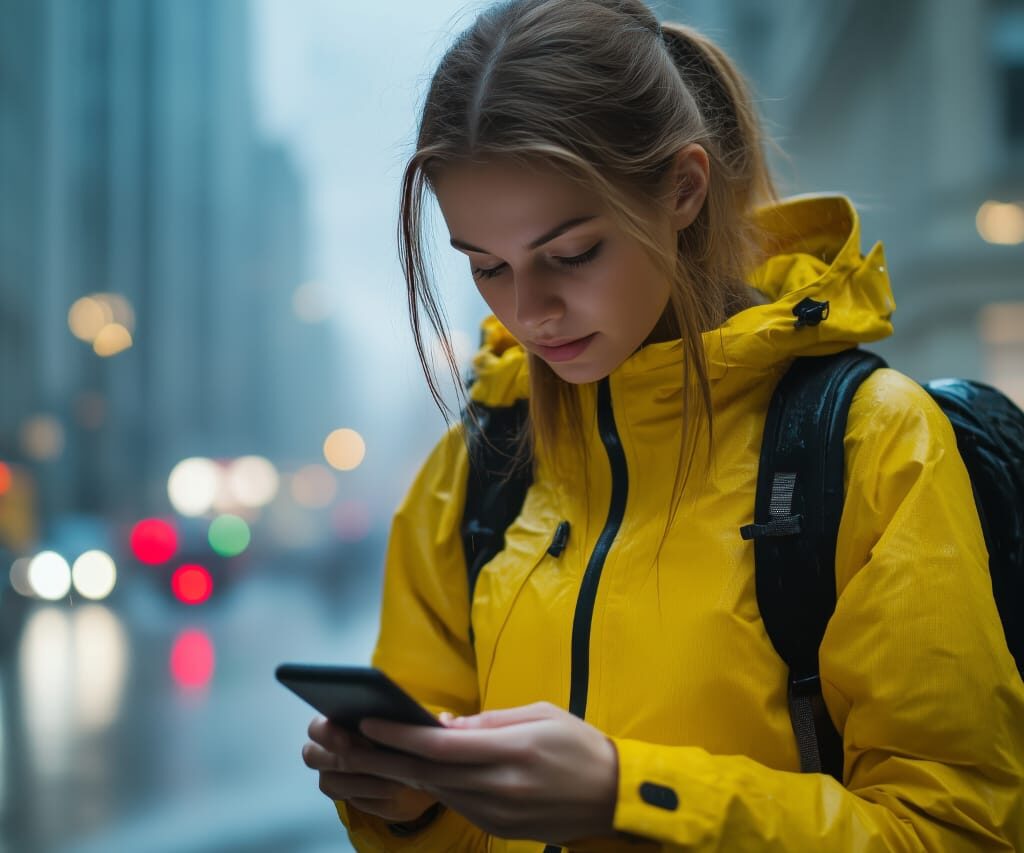
Top 7 Safety Apps
App 1: bSafe
Key Features: bSafe is one of the long-time heavyweights in the personal safety space – and for good reason. Its design is not only to alert people after something happens, but rather to prevent incidents and even collect evidence.
- Fake calls and SOS alarms: The “Fake Call” is one of bSafe’s most practical features. Whether you are on a blind date gone wrong or stuck in an uncomfortable conversation, you can set up a simulated incoming call with a good reason to leave. On the more serious side, the SOS alarm is voice-activated. You don’t need to touch your phone at all, just utter a key phrase, and it triggers the alarm, starting live-streaming video and audio to your chosen contacts.
- Share location with trusted contacts: “Follow Me” is a kind of virtual walk-home buddy. Your friends can watch your dot move across the map in real time until you are safely through your front door.
User reviews and ratings: Users consistently rave about how reliable bSafe is. A common thread in many of the reviews is the comfort the “Follow Me” feature allows parents of college-aged daughters. It holds a strong rating across platforms, though some users note that the premium features-including extended video recording-are where the real value lies.
Ideal Use Cases: bSafe is perfect for the “walking home alone” use case. This might include a student returning from a library late at night to their residence or a professional who commutes in the dark hours of the day and night; live tracking with voice-activated SOS makes it a top-tier choice.
App 2: Life360
Key features: Although marketed as a family locator, Life360 is arguably one of the best apps for women’s safety, for those who need a “set it and forget it” protection layer.
- Family location tracking: Life360 creates a private “Circle” where members can see each other’s real-time location. It is impressively accurate and creates location history. No more constant texts of “Did you get there?”
- Driving safety features: This is where Life360 stands ahead of many competitors; it detects car crashes automatically. If you happen to be in a vehicle that goes into a collision, the app can automatically get in touch with emergency responders, your family circle, and also provide your exact coordinates in real time.
How it stacks up against other family safety apps: Unlike Apple’s “Find My”, which is passive, Life360 is active. It offers place alerts-that is, notifications when someone leaves or arrives at a specific spot-and battery monitoring, which will send you an alert if a friend’s phone is about to die.
Pricing and subscription information: Life360 follows the freemium model. The free version is great for tracking basics and two days of history. The Gold and Platinum memberships are where added services like roadside assistance, stolen phone coverage, and 30 days of history make it a full suite of safety that is well worth the monthly cost for many families.
App 3: Noonlight
Key features: Noonlight, previously called SafeTrek, has a psychological approach towards safety in a very unique manner. It knows that there are times you feel unsafe, but you’re not entirely sure if you need to call 911.
- One-touch emergency response: The interface is a large button. If you feel nervous, for example, when passing a group of suspicious-looking individuals, you open the app and hold your thumb on the button. If you arrive at safety, you simply let go of the button and quickly enter a personal 4-digit PIN. If you are attacked or otherwise cannot enter the PIN, just letting go of the button without entering the code summons police to your exact location automatically.
- Integrates with smart devices: Noonlight is highly compatible. It can sync with Tinder to add a layer of safety when going on dates, Uber, and even wearable devices. If your smart watch detects a sudden fall or spike in heart rate, which correlates to a moment of distress, it can trigger Noonlight.
Expanding on effectiveness in emergencies: This “dead man’s switch” mechanic is brilliant because it removes the hesitation of “should I call the police?” You are pre-loading the call. If nothing happens, you cancel it. If something does happen, the help is already on the way without you needing to dial or speak.
User Testimonials: Testimonials for Noonlight are often very dramatic and emotional. Many women recount stories of the app being the only thing they could use when hiding or when they were unable to speak freely. The silent nature of the alarm is by far its biggest selling point.
App 4: Red Panic Button
Key features: Sometimes, simplicity is the ultimate sophistication. Red Panic Button is exactly what the name suggests it is.
- Location-based alerts: In case of a panic situation, you tap the large red button. The app instantly fires off an SMS and an email to your preset contact list with a Google Maps link to your current coordinates.
- Predefined contacts for quick reach: You can set up more than one contact. This doesn’t route through an intermediary call centre; instead, it routes directly to your people.
Discuss the privacy considerations: Because Red Panic Button is a “trigger-only” app, which makes it less invasive regarding privacy compared with apps tracking you 24/7, the app only accesses your location upon hitting the button. That appeals to users who are wary of constant surveillance.
Emphasise selling points: Its selling point is speed and low friction. It is lightweight, loads fast, and works even if your data connection is spotty since it can rely on regular SMS protocols to get the message out.
App 5: Hollie Guard (Replacing the now-defunct/rebranded SafeTrek)
(Note: Since SafeTrek rebranded into Noonlight—which is already App 3—we are highlighting Hollie Guard as the better alternative that fits just perfectly here.)
Key features: Hollie Guard is a next-generation safety app that turns your phone into an advanced personal safety device.
- Hold the button to alert authorities: Similar to other top apps, it has a deterrent mode. Its unique feature, however, is “Shake.” In danger, the shake of a phone will turn on a high-pitched alarm and strobe light to disorient the attacker and flash your location to contacts.
- Geolocation tracking: Its “Journey” feature allows you to set a start and endpoint. If you don’t show up within the time it estimates that the journey should take, the application immediately warns your contacts.
Scenarios where it excels: Hollie Guard is excellent for runners and joggers. The “Man Down” feature (available in premium versions) detects whether you have suddenly stopped moving-something that would presumably happen in the case of a fall or attack-and can send an alert on its own accord.
Pricing options: The basic version is free and quite full-featured. The “Hollie Guard Extra” subscription adds 24/7 professional police monitoring, effectively turning your phone into a monitored security system for a small monthly fee.
App 6: WalkSafe (The Modern Successor to Watch Over Me)
Note: The original “Watch Over Me” app has largely been retired or unsupported in many regions. WalkSafe is the modern standard-bearer for this specific type of safety technology.
Key features: WalkSafe is considered to be one of the fastest-growing safety apps, since it focuses on prevention, rather than only reaction.
- Scheduling of safety notifications: While it shares many core capabilities with its predecessors, enabling journey tracking, its unique “Safe Map” visualises the crime data. It shows you a map of police reports of violence or sexual assault and helps plan a route to avoid “red zones.”
- Check-in prompts: The app checks in with you in case you are walking home. In case you fail to tap “I’m OK,” it escalates the alert to your friends.
Advantages over similar monitoring apps: The visualisation of crime data is the game-changer here. While other apps help you when you are in trouble, WalkSafe helps you avoid trouble by showing you which streets have high incident rates.
User experiences: The map feature is particularly favoured among users in the metro. Many reviews mention that after viewing the historical crime data given within the app, they had changed their daily routes of commute and thus feel much safer.
App 7: My Safetipin -The Community-Focused Choice
Note: “Schutz” is not a globally recognised safety app; it may be a brand or typo. My Safetipin is the leading app that meets the “community” and “reporting” criteria described.
Key Features: My Safetipin is designed to make public spaces safer through data collection and community audits.
- Customizable emergency contacts: While it includes tracking, like others, the core value of this app is the “Safety Score,” which rates areas for their lighting, openness, visibility, and crowd density.
- Anonymous reporting options: You can anonymously report hazards, such as broken streetlights or poor visibility. Such data is shared with the community and often even with local city planners to improve infrastructure.
Unique community-focused features: This is an app that crowdsources safety. It allows women not just to look after themselves but to look after others, too, by “pinning” areas that are unsafe.
Social media integration: This app allows and encourages you to share your safety scores on social media platforms, thereby creating awareness regarding unsafe zones within your city and compelling local authorities to take action.

Conclusion
Quick recap: we covered seven powerful tools, each with its own strength to speak for. From bSafe’s live-streaming to Life360’s family circles, Noonlight’s discreet alert, My Safetipin’s community audits, technology today provides a multifaceted toolkit for safety.
The value of preparedness and knowledge: it’s a tiny step, downloading one of these apps, but it’s indicative of a very real frame-of-mind adjustment. It’s about owning your surroundings. These aren’t apps; these are lifelines that connect you with help when you’re most vulnerable.
Call to action: download, try these safety apps. That will encourage you not to wait for a crisis to consider your safety. Go to your app store now. Pick up one or two of these apps, like Noonlight and Life360, for solo outings and family safety. Install these, test a few features with a friend to get comfortable using them. The best women’s safety app is the one you actually know how to use when it matters.
Have you used any of these apps? Or is there a hidden gem we should know about? Share your experiences and recommendations in comments. Your insight could be the tip that helps another woman stay safe.












 Total views : 34695